Dense action lists with in-place expansion
What to do and why
Use a compact row with readable labels, aligned decision fields, explicit state, and a distinct action. Let a labeled control expand the row vertically for trends and related diagnostic factors. Keep the item's identity and routine factors above the expansion. Do not make the whole row one button containing other interactive controls.
This is an opinionated Viewrule starting pattern. Carbon supports expandable tables for supplementary information and recommends other structures when expansion becomes cramped. Tufte's sparklines motivate placing trends near their subject; they do not validate this particular queue.
Prefer, avoid, and exceptions
Prefer this for repeated decisions across similarly structured items, when supporting investigations are relatively short. Avoid hiding any factor routinely needed to act just to achieve a tidy row. Do not shrink type to hit a density score.
Use a dedicated detail page for long forms, durable investigation links, or extended audit work. Use a comparison workspace when multiple expanded items must remain side by side. Batch actions need explicit selection, applicable shared constraints, and a review step; this example deliberately models only individual local actions.
At narrow widths, the demo stacks labeled fields without removing them. That preserves availability, but not simultaneous comparison of all proposals. If the real task requires that, supply a suitable comparison mode or a scoped, accessible table and validate it with users.
Examples
All runnable variants share three invented proposals and local action state. The exercise assumes an operator checks current/proposed USD per parcel, forecast daily contribution range, and “Clear/Check” status before queuing review or holding. These are not EasyPost business rules, production forecasts, or an optimization model.
- Good: compact + expanded. A's summary remains above a seven-day demand series, disclosed methodology, and diagnostics. Multiple rows can remain open; collapse is not forced.
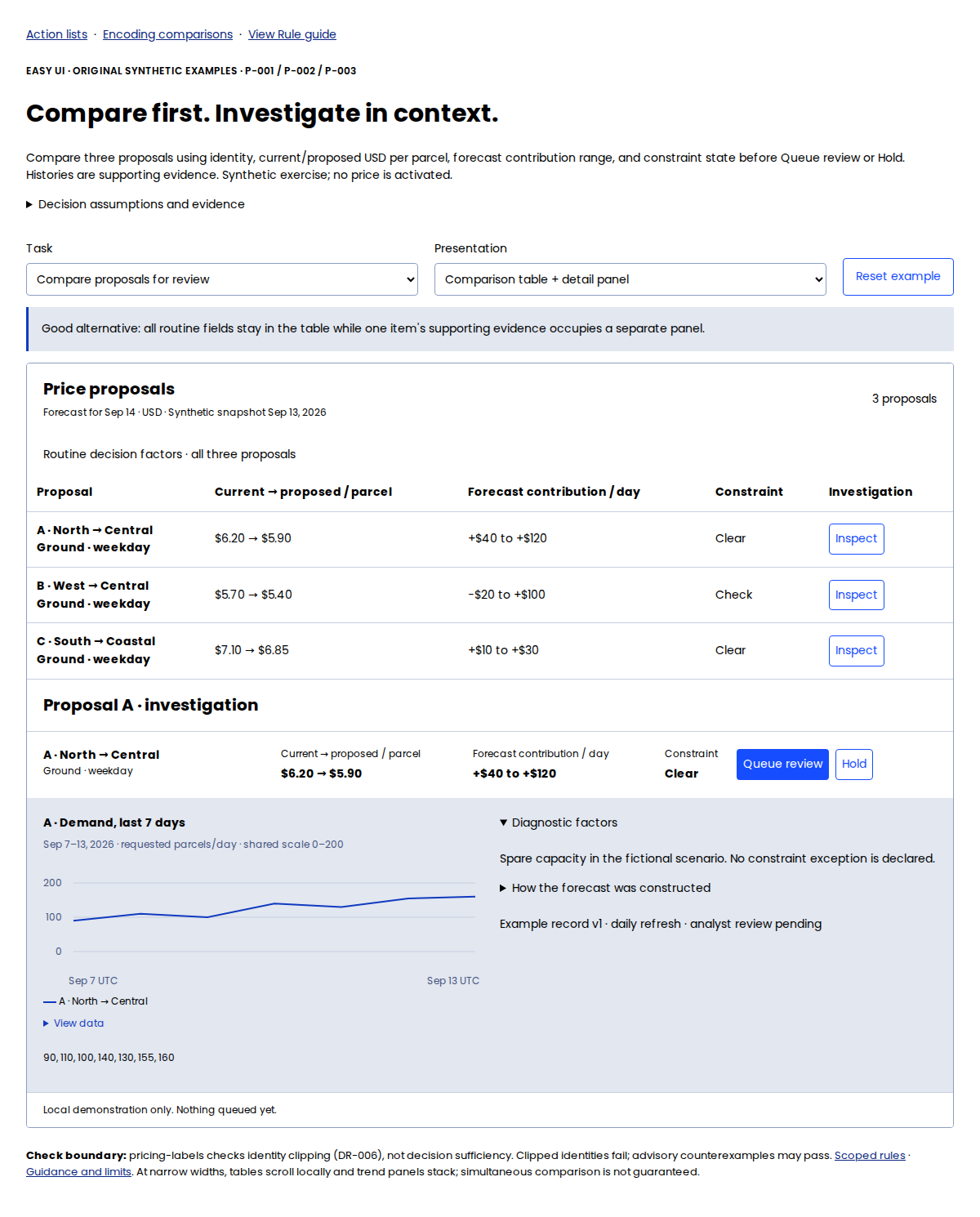
- Good: comparison table + persistent detail panel. All three proposals retain their routine factors while A’s supporting evidence occupies the panel below. The table offers a second implemented starting point. At narrow widths it scrolls within a labeled region; test whether that still supports the task.
- Bad: sparse. Clean-looking rows send every routine decision through a separate detail view.
- Bad: overloaded. Every history and diagnostic note appears between neighboring decision rows; the scan becomes long even though every datum is present.
- Bad: clipped identities. The layout is otherwise compact but truncates the lane labels. This is a measurable defect.
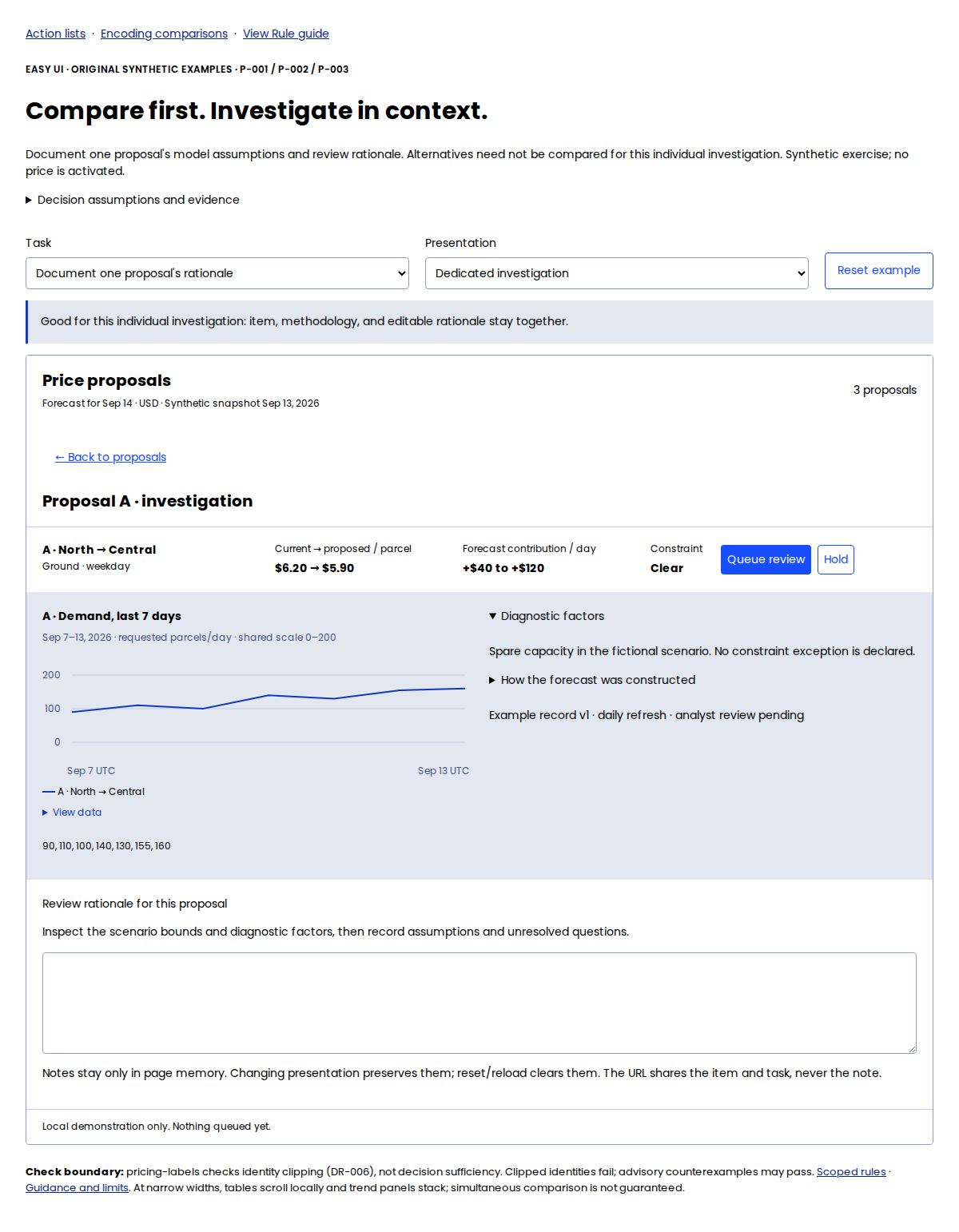
Good for a different task: dedicated investigation supports documenting A’s assumptions and review rationale. The same presentation is poor for comparing alternatives. The task selector changes the recommendation without changing the proposal data. Local notes survive presentation changes but are cleared on reload or reset; URLs share the task and item, not notes.
The source manifest pins the Easy UI implementation: ThemeProvider, Card, Button, and CompactTimeSeries. Multiple rows expand independently without changing DataGrid’s single-expansion API. Shared trend domains support magnitude comparison; this is not a Sparkline auto-scale example. The gallery supports reset, URL-linked modes and expanded IDs, keyboard expansion, and local queue/hold feedback. No request is sent and no price is activated. Trend data and textual values use one array. Full-height screenshots illustrate structure, not above-the-fold fit.
Screenshot evidence (1200 CSS px wide, device scale 1; full-page height does not imply initial-viewport fit): compact with A expanded, sparse, and overloaded. 390 CSS px light mobile view preserves fields by stacking them; it does not keep every proposal simultaneously visible.
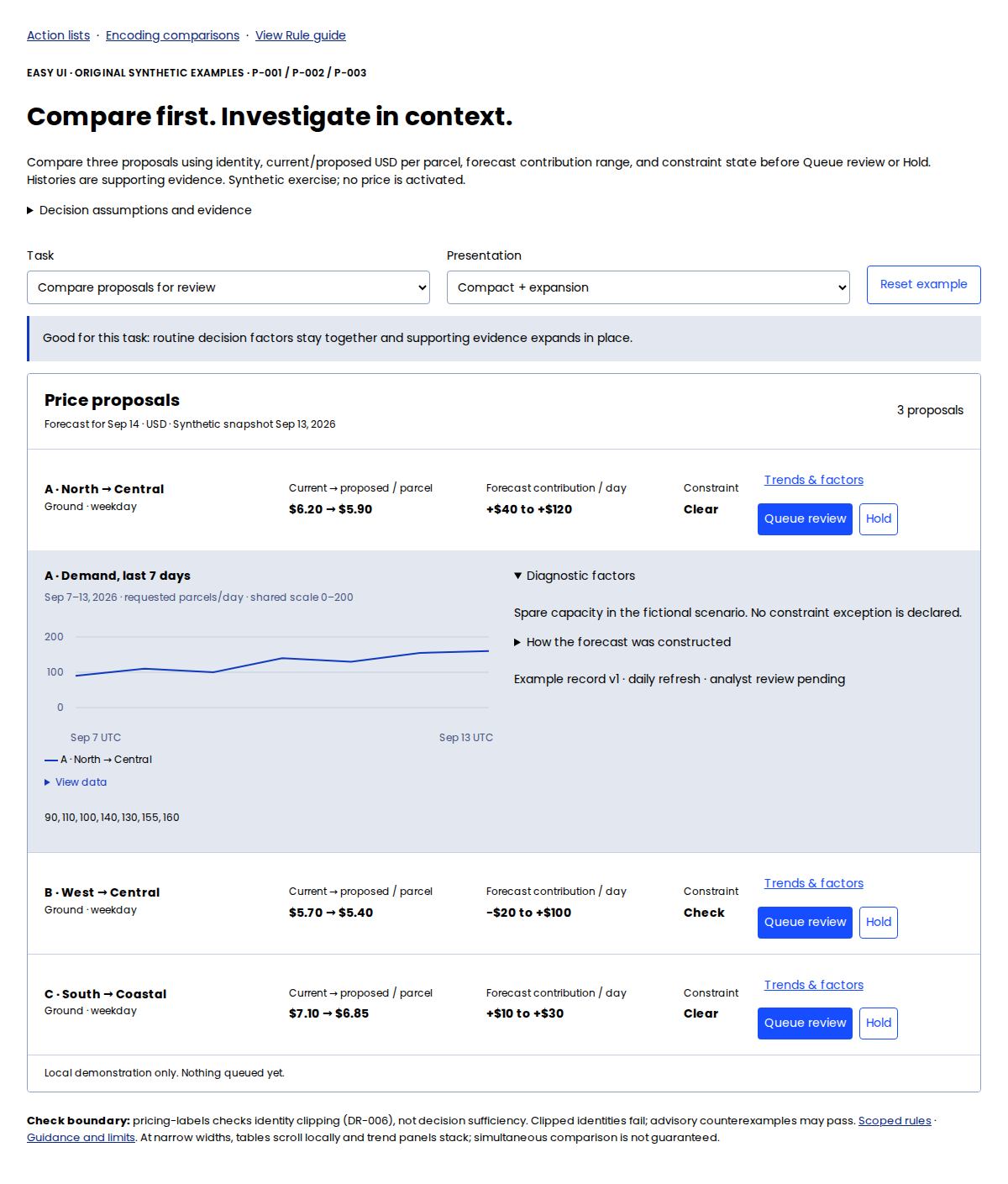
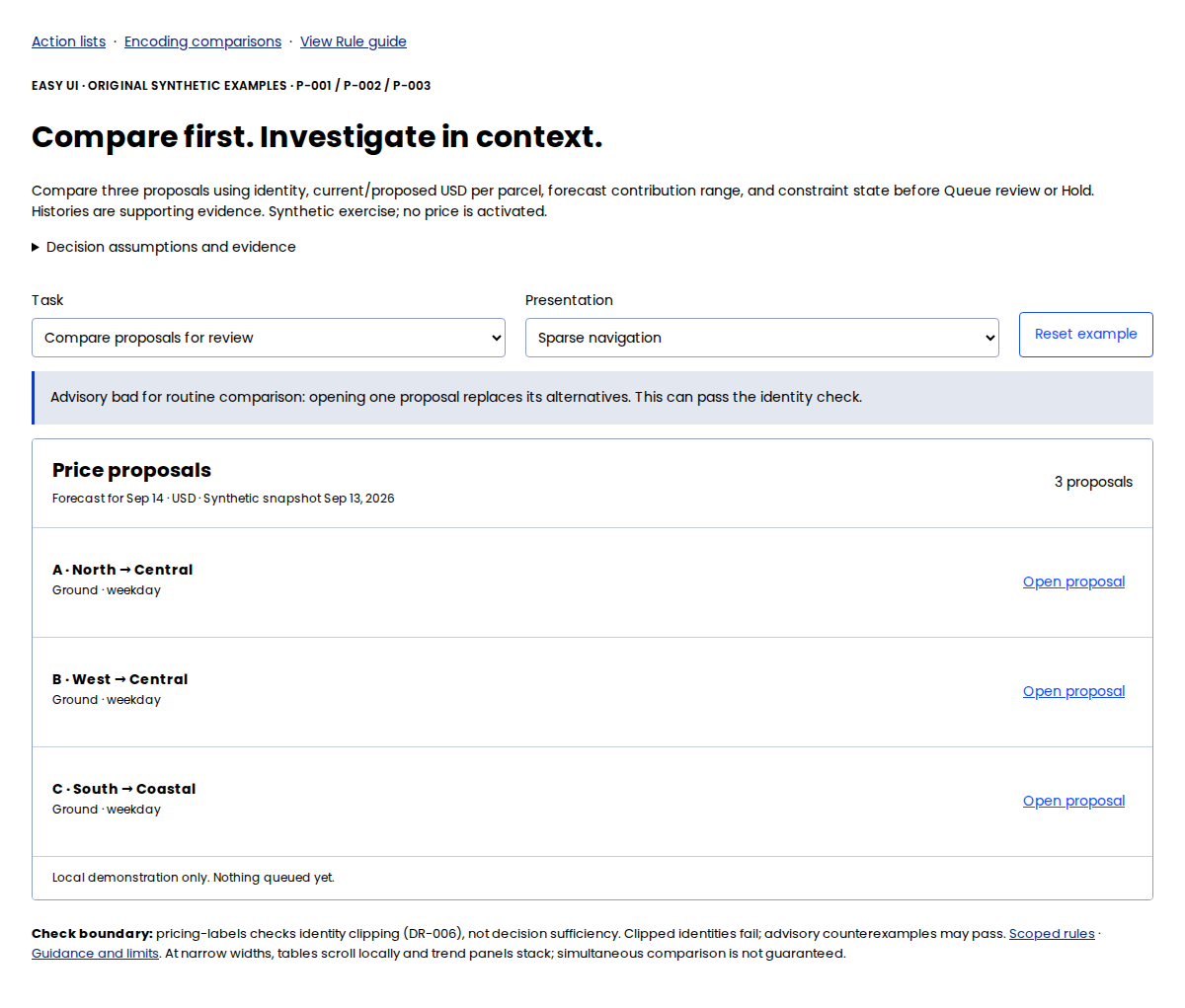
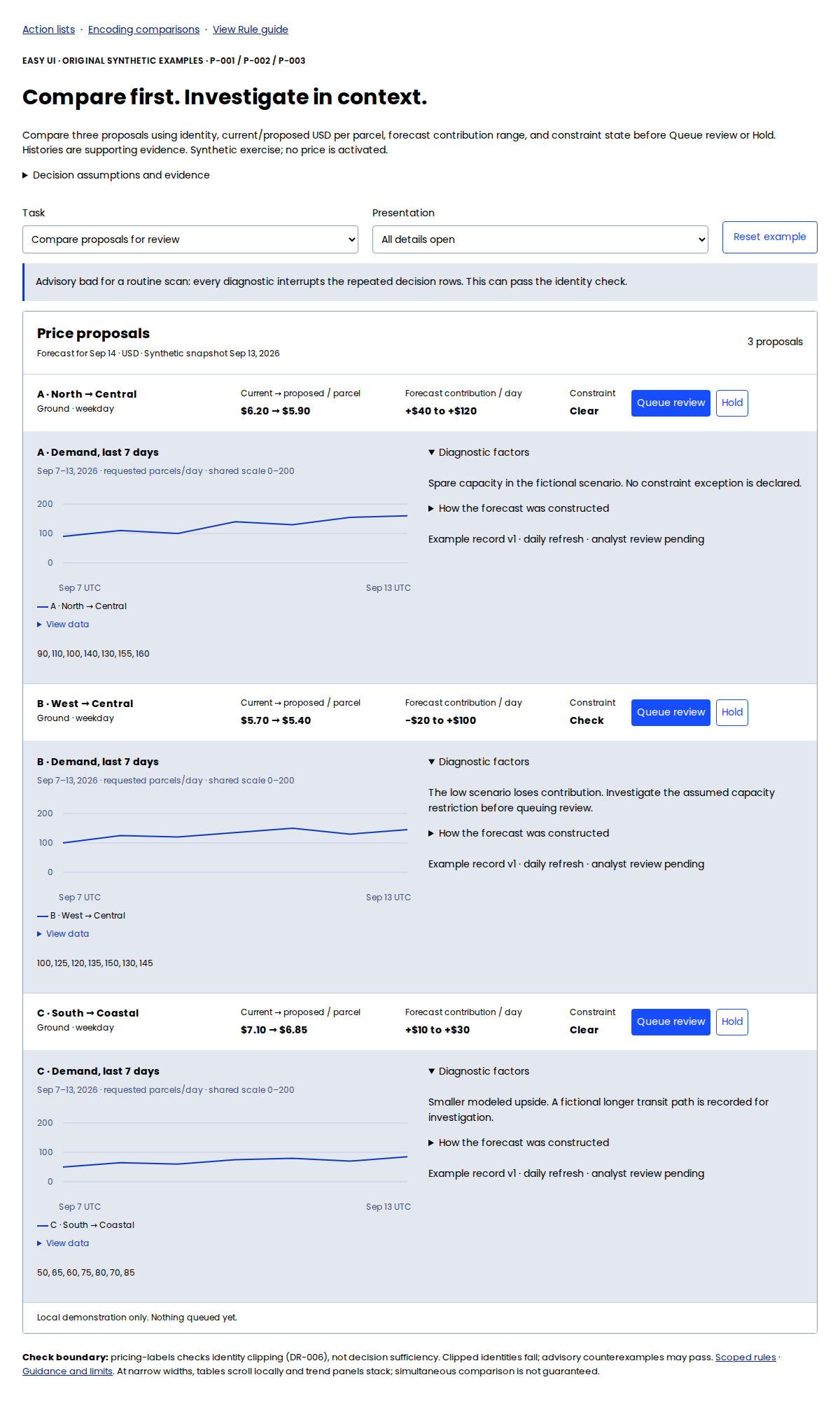

Table + detail screenshot and individual investigation screenshot, each 1200 CSS px wide, device scale 1.
Evidence and limits
Sources: E-CARBON, E-SPARKLINES, and E-DISCLOSURE-APG. These support composition and control semantics; none tested this interface. Claims about faster decisions remain hypotheses. “Good/bad” refers only to the stated comparison task.
Automated checks and judgment
The example contract applies no-clip to .pricing-identity as pricing-labels (DR-006). The installed regression expects compact, sparse, and overloaded states to pass that rule and the clipped state to fail it. Advisory failures can pass linting. No whitespace, KPI-count, row-height, or semantic-sufficiency failure is introduced. Assess expanded visibility, keyboard behavior, readable text, and action meaning in the actual application; the narrow-screen layout needs task judgment.